Bald filterTikTok bald filter alternative
TikTok bald filter: how to find it, and an alternative that stays
Bald reveal videos are a TikTok classic, but the filter behind them is hard to pin down: TikTok has no official bald effect, and the ones made by creators come and go. Here is how to find one today, why many trends use CapCut instead, and how to film your own reveal with a realistic filter.

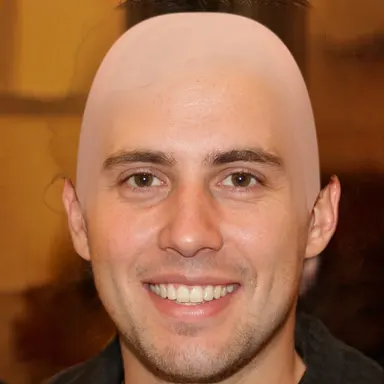
Would you look good bald?
Turn on your camera and watch your hair vanish, live. Nothing leaves your device.
Make me bald- Real time
- 100% private
- Free, no sign-up
How to find a bald filter on TikTok
TikTok has no bald effect of its own. The bald effects in the app are made by creators with Effect House, TikTok's effect builder.
- 1
Open the TikTok camera
Tap the + button at the bottom of the screen.
- 2
Search the effects
Tap Effects, then search for "bald" or "shaved head".
- 3
Or take it from a video
On a bald reveal video, tap the effect name shown above the caption to try it.
Why TikTok bald effects keep disappearing
Effects made by creators can be renamed, updated or removed at any time, and some only work on certain phones. A filter that was trending last month can be gone from search today.
Many bald trends do not use a TikTok effect at all: they are CapCut templates, where you upload a photo and get a ready-made video. Most of them are meme videos rather than a real bald look.
TikTok vs bald-filter.com
| TikTok | bald-filter.com | |
|---|---|---|
| Bald filter | Creator effects that come and go | Always at the same address |
| Live camera | Yes, in the app | Yes, in the browser |
| Account | Required to post | None |
| Phones | Some effects don't work on every phone | Any recent phone or computer |
| Look | Mostly made for laughs | Realistic skull, lit like your face |
| Price | Free | Free |
How to film a bald reveal for TikTok
bald-filter.com takes photos. For a reveal, the easiest format is the before and after: one shot with your hair, one bald, switched on the beat.
- 1
Take the before photo
With your hair, facing the camera, in good light.
- 2
Take the bald photo
Open bald-filter.com, keep the same spot and the same pose, and tap the shutter button.
- 3
Put them together on TikTok
Post both photos as a slideshow or a video with a trending sound, and switch from one to the other on the drop.
Frequently asked questions
What is the bald filter on TikTok called?
There is no official one. Bald effects on TikTok are made by creators and change often: search for "bald" in Effects, or tap the effect name on a bald reveal video.
Why can't I find the bald filter on TikTok?
The effect may have been removed or renamed, or it may not work on your phone. Many bald trends also come from CapCut templates rather than TikTok effects.
How do I make a bald reveal video?
Take a photo with your hair and a bald one with bald-filter.com in the same spot, then put them together in a TikTok video. To record the live filter, use your phone's screen recording.
Is bald-filter.com free?
Yes. No account, no app and no subscription, and the photo is processed on your device.
Would you look good bald?
Turn on your camera and watch your hair vanish, live. Nothing leaves your device.
Make me bald- Real time
- 100% private
- Free, no sign-up
Other alternatives
Snapchat bald filter alternative
The Snapchat bald filter is called Bald Character. Where to find it, its limits, and a realistic filter without the app.
Instagram bald filter alternative
Instagram's bald filters vanished with Meta Spark in 2025. What is left, and a free live bald filter to post your photo.
CapCut bald filter alternative
CapCut bald templates need an upload and often an account. How they work, and a free live bald filter with no upload.
YouCam bald filter alternative
YouCam's bald filter needs an upload, an account and credits. A free bald filter that works live, with nothing uploaded.
ChatGPT and Gemini bald photo alternative
ChatGPT and Gemini can make a photo bald, but they upload it, cap free tries and can change your face. A live alternative.